Airbnb · Concept 2025
Timeline
8 Weeks
Skills
Role & Team
Responsibility
For this Lean Agile Product Management project, our 4-person squad operated like a startup. We all collaborated on product strategy and the 30+ customer interviews, I took ownership of the End-to-End Design.
I translated our raw research insights into the final interface moving us from low-fidelity paper sketches to the high-fidelity interactive prototype we used to validate that visual proof of location increases booking confidence.
Overview
Problem
The "Toggle Tax" Airbnb has mastered the "stay," but the "neighborhood" remains a mystery. Our research with 30+ travelers revealed a critical friction point: 78% of guests exit the app to check Google Maps/Reddit for safety, transit, and local vibes before booking. This "Toggle Tax" breaks the emotional connection to the listing and increases the chance of abandonment to competitors.
Solution: Neighborhood Context
Host Picks
Transit
Grocery
The Problem
The Opportunity
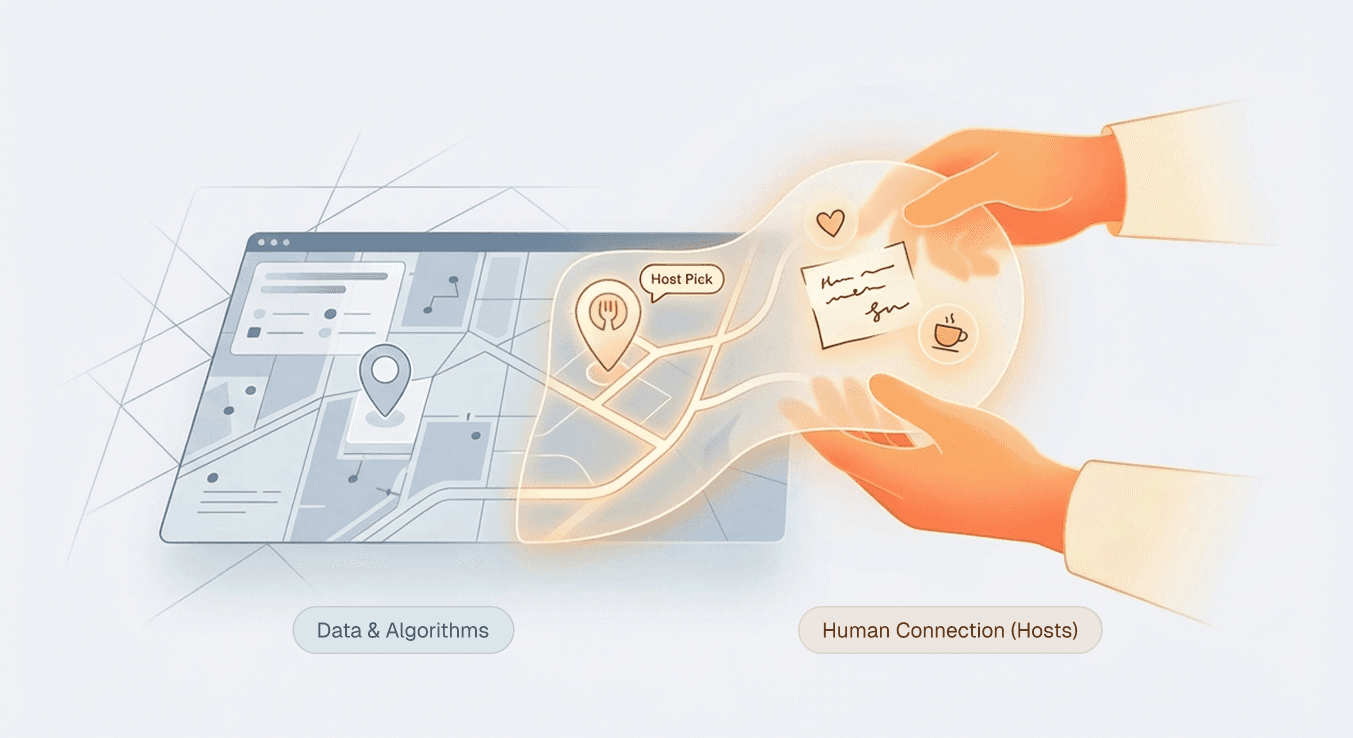
Google Maps has data, but Airbnb has Hosts the locals who know the "best avocado toast" or the "perfect place to co work". We realized we could leverage this human connection to build a trust layer that algorithms simply can't copy.
The SOlution
The Insight: Guidebooks are buried and text-heavy.
Users love local tips, but they rarely read the long text-based Guidebooks currently hidden in listing details. Our interviews showed that almost no one reads them. We needed to surface this value visually and instantly.
Visualizing the "Host Voice"
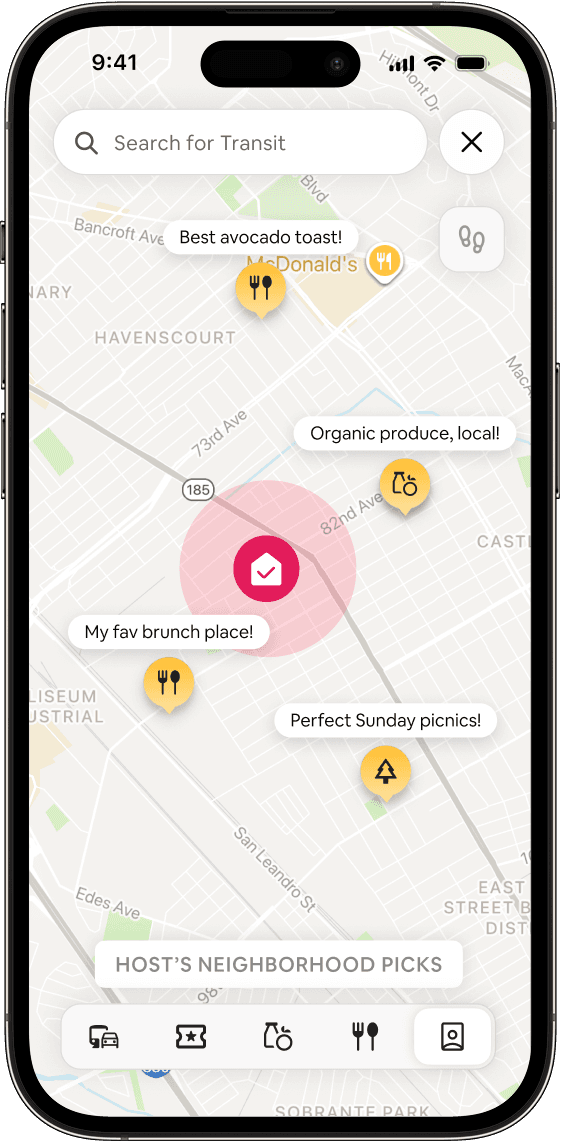
We moved recommendations out of the text description and onto the map. Instead of generic pins, we used Contextual Speech Bubbles (e.g., "Best avocado toast!") to highlight value rather than just location.
The "Trust Gap" Decision
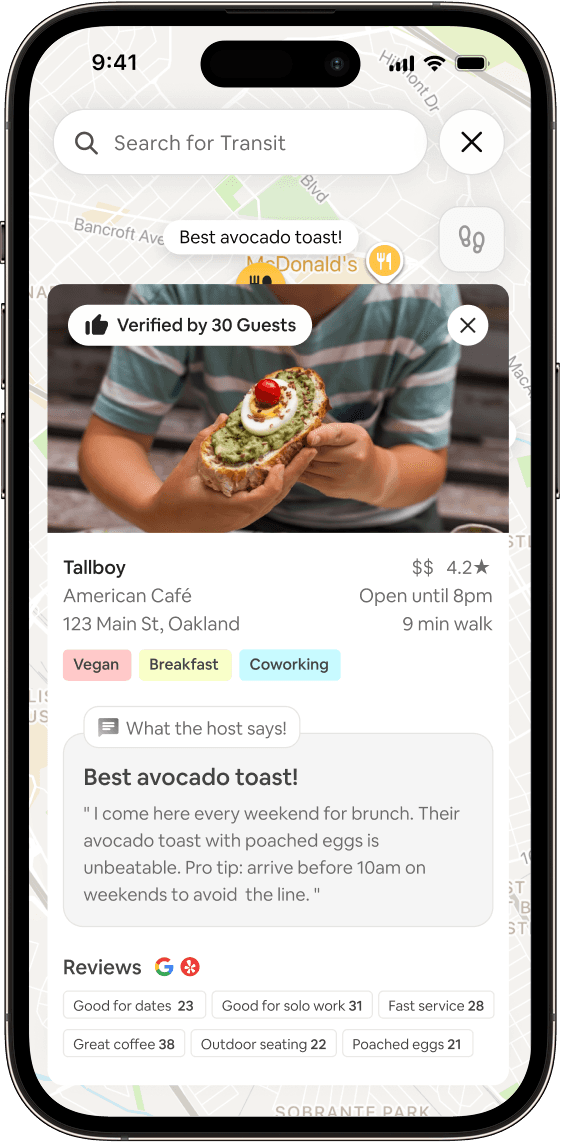
During testing, users were skeptical: "Is this a real recommendation or is the host just promoting their friend's shop?"
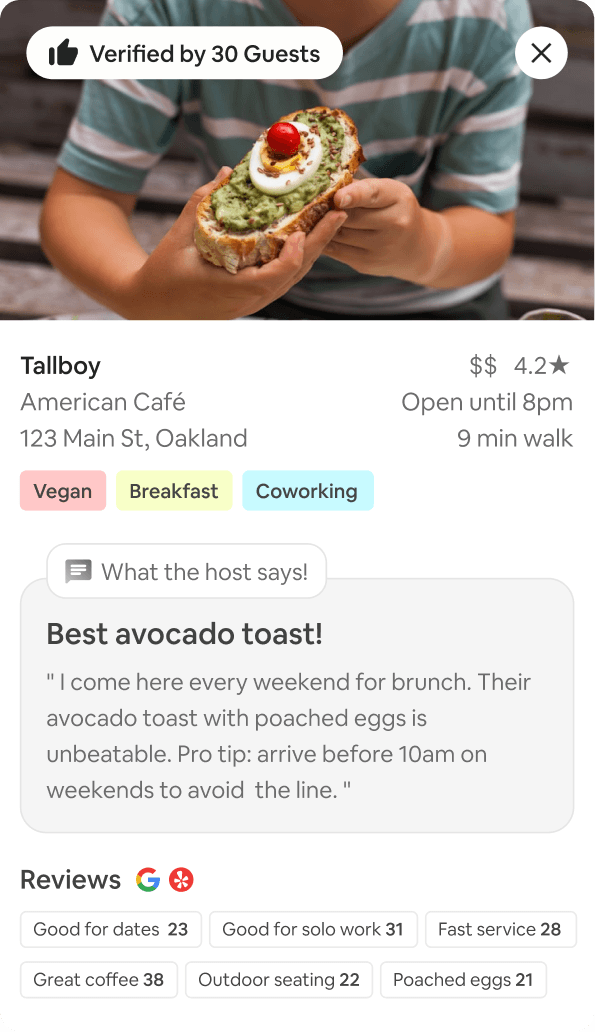
To solve this, we designed the Verified Badge. Now, when a user clicks a recommendation the detail card shows a "Verified by X Guests" badge. This proves that previous guests actually visited and liked it, turning skepticism into confidence.
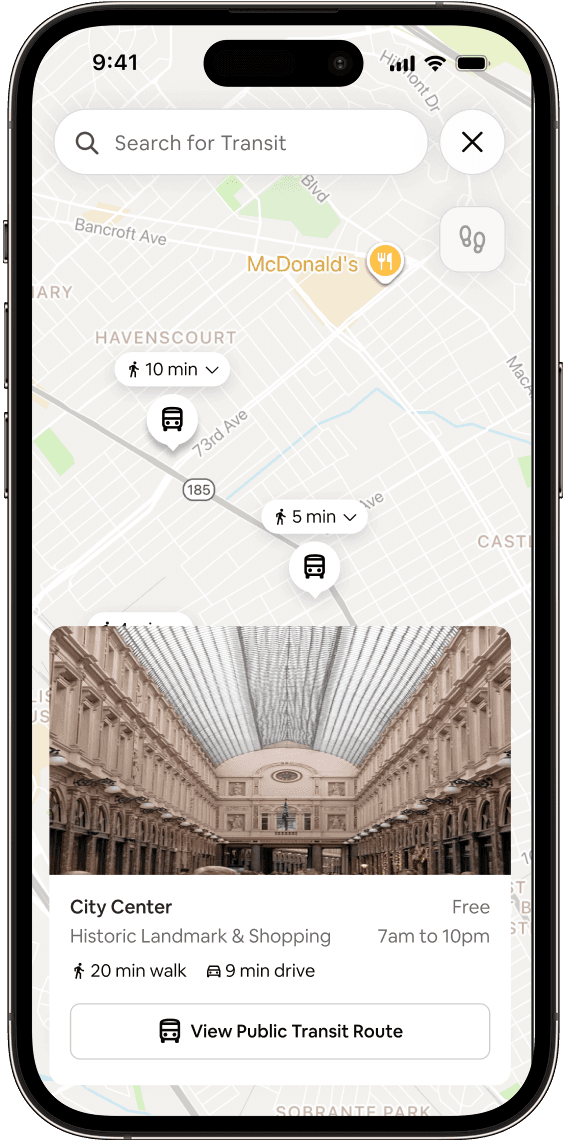
The Detail Card
Time vs. Path
Airbnb already calculates travel time (using the Google API). When you tap a location, it says "12 min drive" or "20 min transit."
The Gap
For driving, "12 mins" is enough. But for transit, "20 mins" is vague. Is that a direct train? Or 3 bus transfers and a mile walk?
From Pins to Routes
We visualized the journey. Since Airbnb already fetches the route data, we simply drew the Polyline on the map. Now, users can visually verify if the commute is simple or complex instantly.
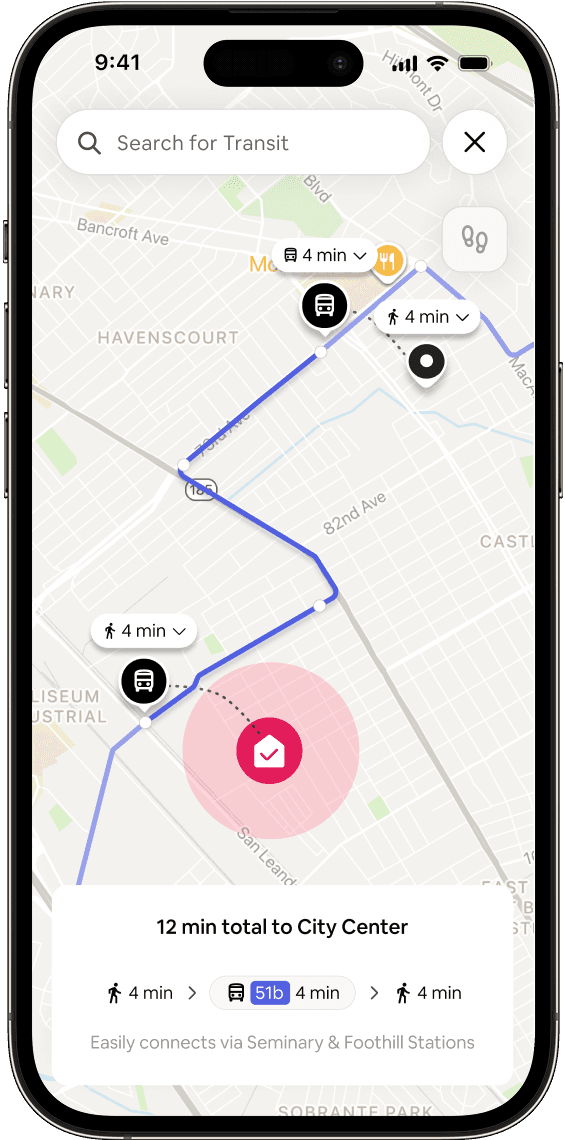
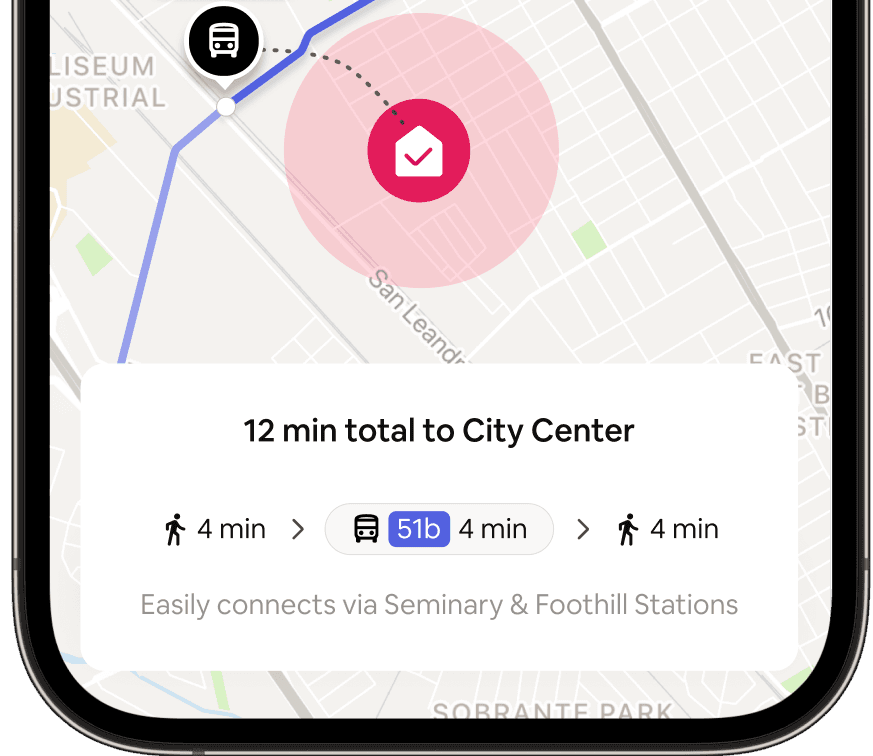
Reducing Mental Math
We broke the trip down into visual chunks in the bottom card so users don't have to guess the transfers
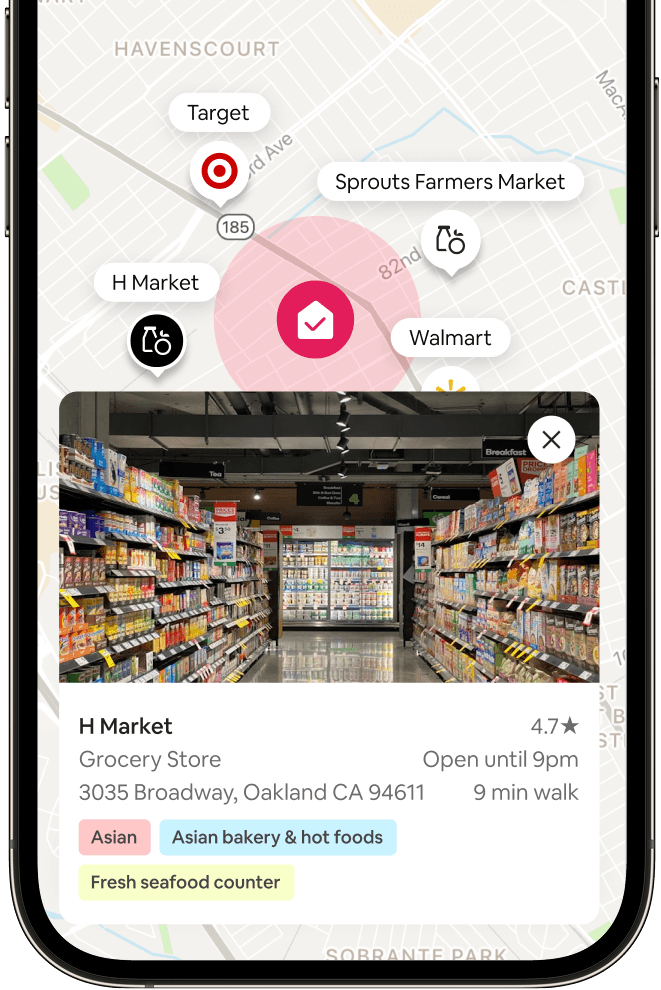
Cognitive Load & Brand Recognition
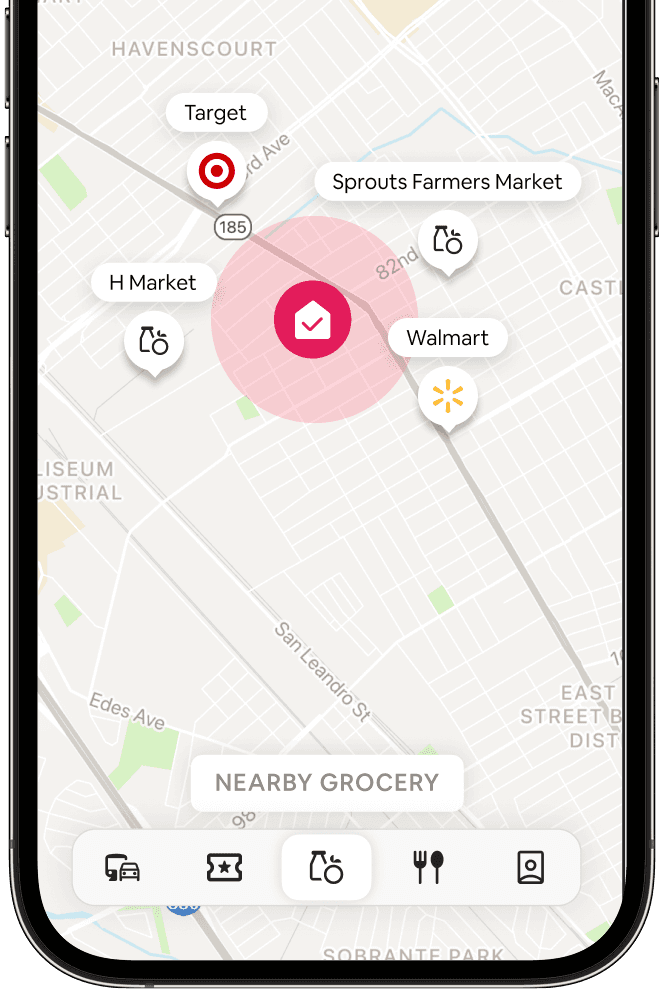
Specific Needs, Specific Tags
For long-term stays, "Grocery Store" isn't enough. We added specialized tags like "Asian Bakery" or "Fresh Seafood" based on user requests, helping guests find their specific lifestyle needs.
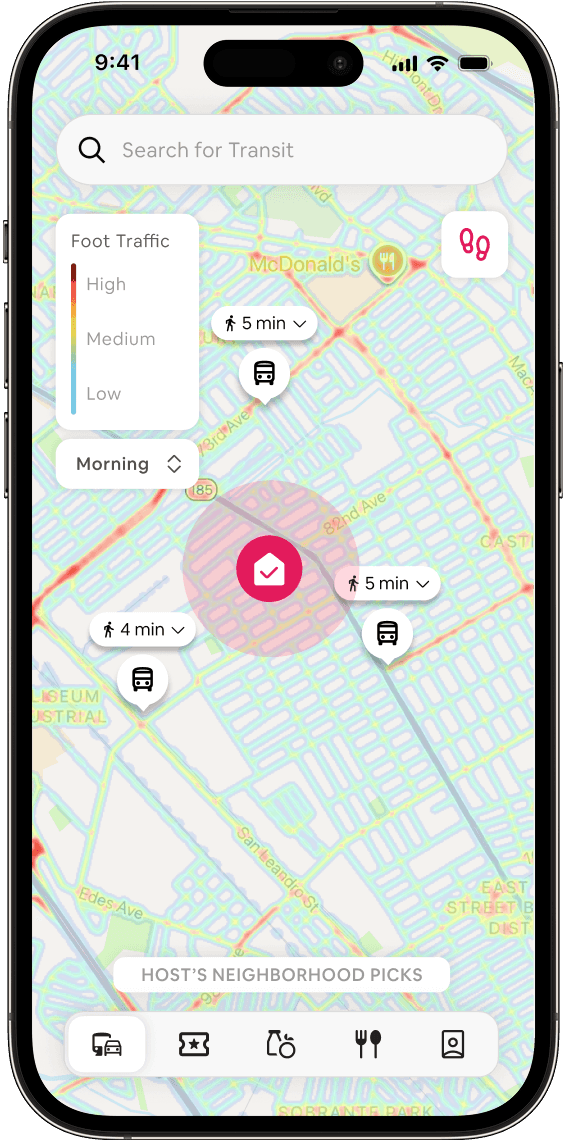
Objective Data, No Stigma
We needed to address the needs of solo travelers without labeling neighborhoods as "bad" or "dangerous." We chose a Foot Traffic Heatmap to visualize liveliness (Red = High Activity, Blue = Quiet).
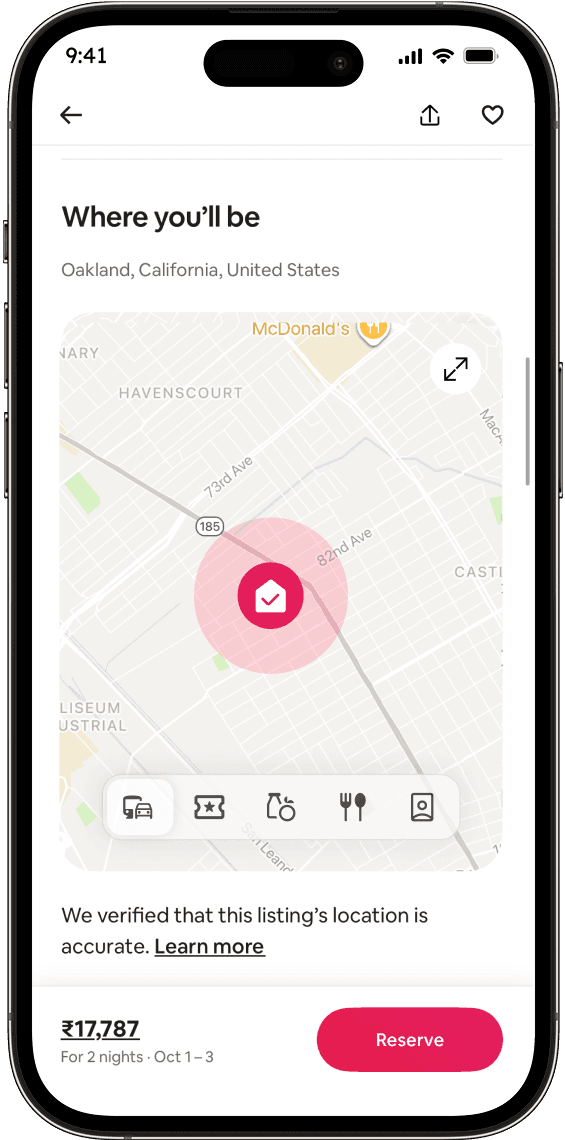
How do users find this?
We didn't want to bury it. We used the existing "Where you'll be" map section on the Listing Details page. In the "Minimized Map Preview" we added a non-clickable versions of the Filter tabs. This acts as a teaser, telling the user "There's more info here," prompting them to click into the full map experience.
Evolution of the Filter Bar
V1: We started with a long, scrolling list of chips (Pharmacy, Gym, Park, Transit, Police). It was information overload. Users didn't know what to click first.
V2 (Final): We simplified it into a segmented control with 4 distinct modes (Transit, Host Picks, Essentials, Things to Do). By forcing the user to view one "Data Layer" at a time, we prevented the map from becoming a cluttered mess.
The "Things to Do" Icons
V1: We used a generic "Attraction" icon (a ticket stub) for everything.
The Issue: Users couldn't tell the difference between a park and a museum at a glance.
V2 (Final): We switched to category-specific icons (Palette for Art, Tree for Parks, Book for Libraries). Now the map is instantly scannable.
Reflection
Trust requires proof.
Users valued host recommendations only when we added the "Verified by Guests" signal. Without social proof, a recommendation just feels like an ad.
Don't make users calculate
Showing a bus stop is useless. Showing "12 mins total" is valuable. The UI must do the heavy lifting so the user doesn't have to.
Curate, don't reinvent
We didn't need to rebuild Google Maps; we needed to curate it. By using brand logos and route lines, we used familiar patterns to keep users inside Airbnb.