Uable · Shipped 2023
Timeline
Oct 2022 - Jan 2023
Skills
Role & Team
Lead Product Designer Collaborated with 1 Product Manager, 2 Learning Experience Designers, and the Growth & Community managers.
Responsibility
As the lead designer, I spearheaded the end-to-end revamp from research (qualitative and quantitative) to final visual design of the core "Challenges" feature to solve a critical retention drop-off. I partnered with learning designers to restructure the gamification loop into "Fun" and "Skilled" tracks, redesigned the challenge interface to reduce user intimidation, and implemented behavioral nudges that directly impacted daily active usage.
Company
Uable (now PowerClub) is a ed-tech platform helping teenagers discover careers through challenge-based learning.
Overview
Uable is a career discovery platform where teenagers build real-world skills. The core feature, "Challenges," leverages the Challenge-Based Learning (CBL) framework a multidisciplinary approach where teens solve real-world problems designed by industry experts to build skills like critical thinking and collaboration.
Problem
High Interest, Low Action. Despite high interest ( 78% Click-Through Rate on challenge cards), actual participation was plummeting. Only 7.8% of users were completing the challenges they clicked on. Teens wanted to participate, but the experience was failing them. Beginners felt overwhelmed by expert-level tasks. Peer work was hidden, making the platform feel empty. Deadlines didn't match their school schedules.
Solution
We moved from a "one-size-fits-all" model to a dual-tier system (Fun vs. Skilled) to build user confidence. We redesigned the interface to leverage social proof via a new "Post Tab", optimized deadlines to match student habits, and introduced persistent reminder for their progress to close the loop.
The New Experience: A walkthrough of the
"Fun Challenge" flow designed for instant engagement and low-barrier entry.
It's on loop, you might have to wait a few seconds
Impact
The Problem
Data revealed a massive gap between intent and action. While the Click-Through Rate (CTR) for challenges was high at 78%, the "Initiation to Completion" rate plummeted to 16%. Furthermore, only 20% of users returned to participate a second time.
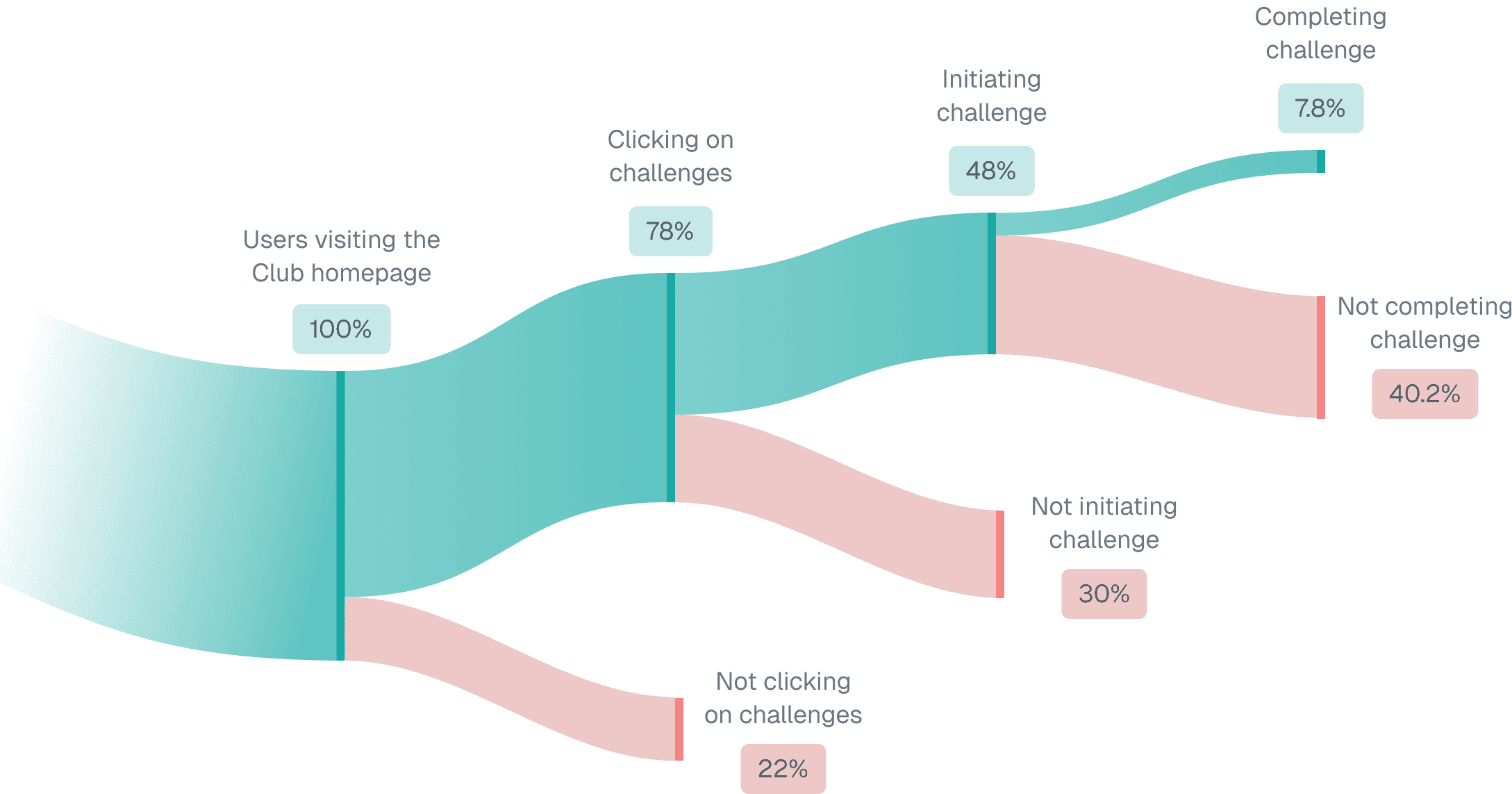
Despite high interest, the funnel was leaking. We didn't just rely on intuition; we analyzed drop-off data at every stage and interviewed users from each segment from those who clicked but didn't start, to those who started but didn't finish to find the root cause. It wasn't just UI; it was psychology.
Research & Discovery
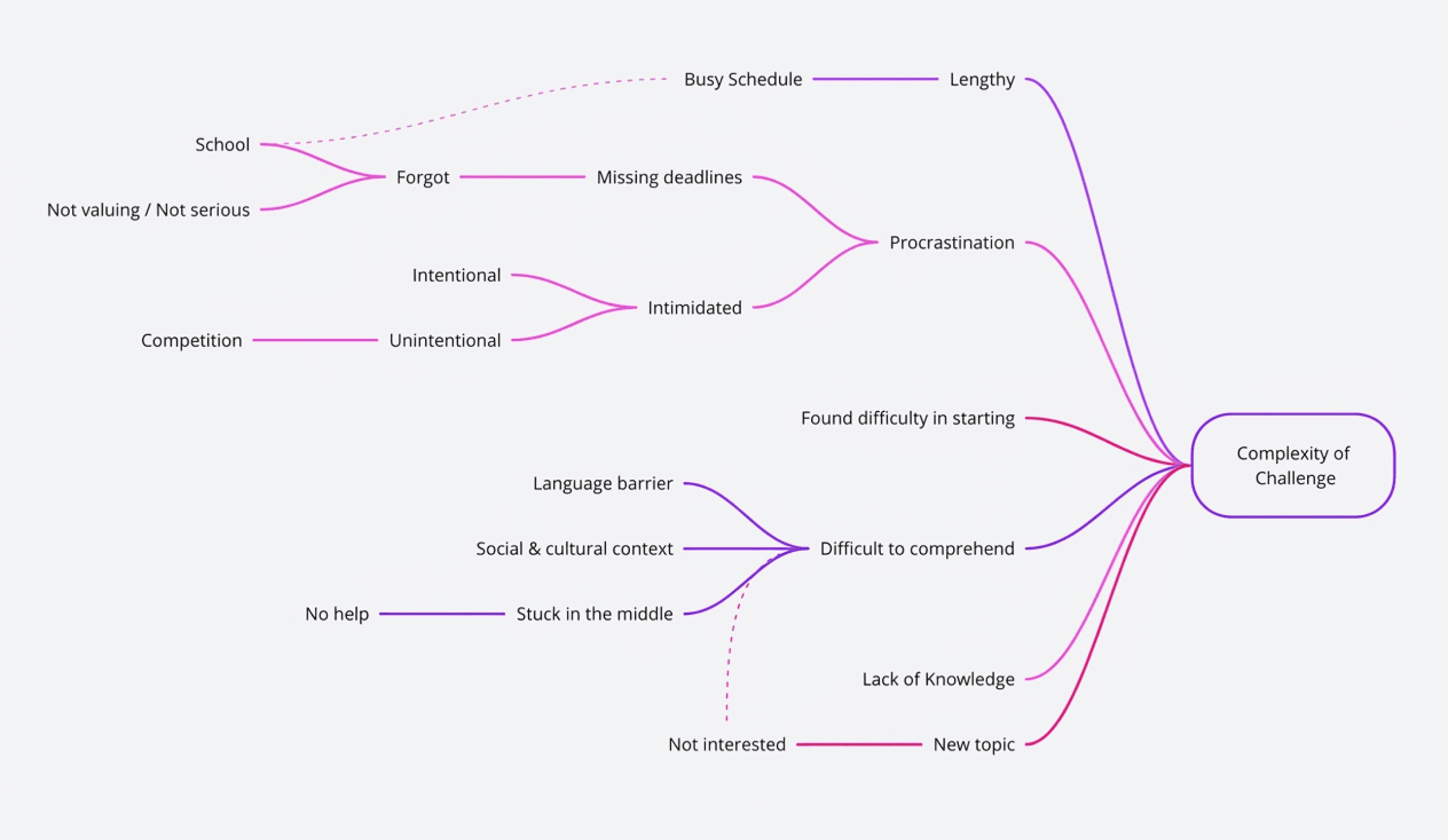
To understand the drop-off, we interviewed users grouped by their behavior at each funnel stage (e.g., those who clicked vs. those who completed). This segmentation revealed that most friction points were interconnected, with Complexity being the central issue
The "Complexity" Trap
We mapped the problems and found that Intimidation, Procrastination, and Drop-offs all stemmed from one source: The challenges were simply too complex.
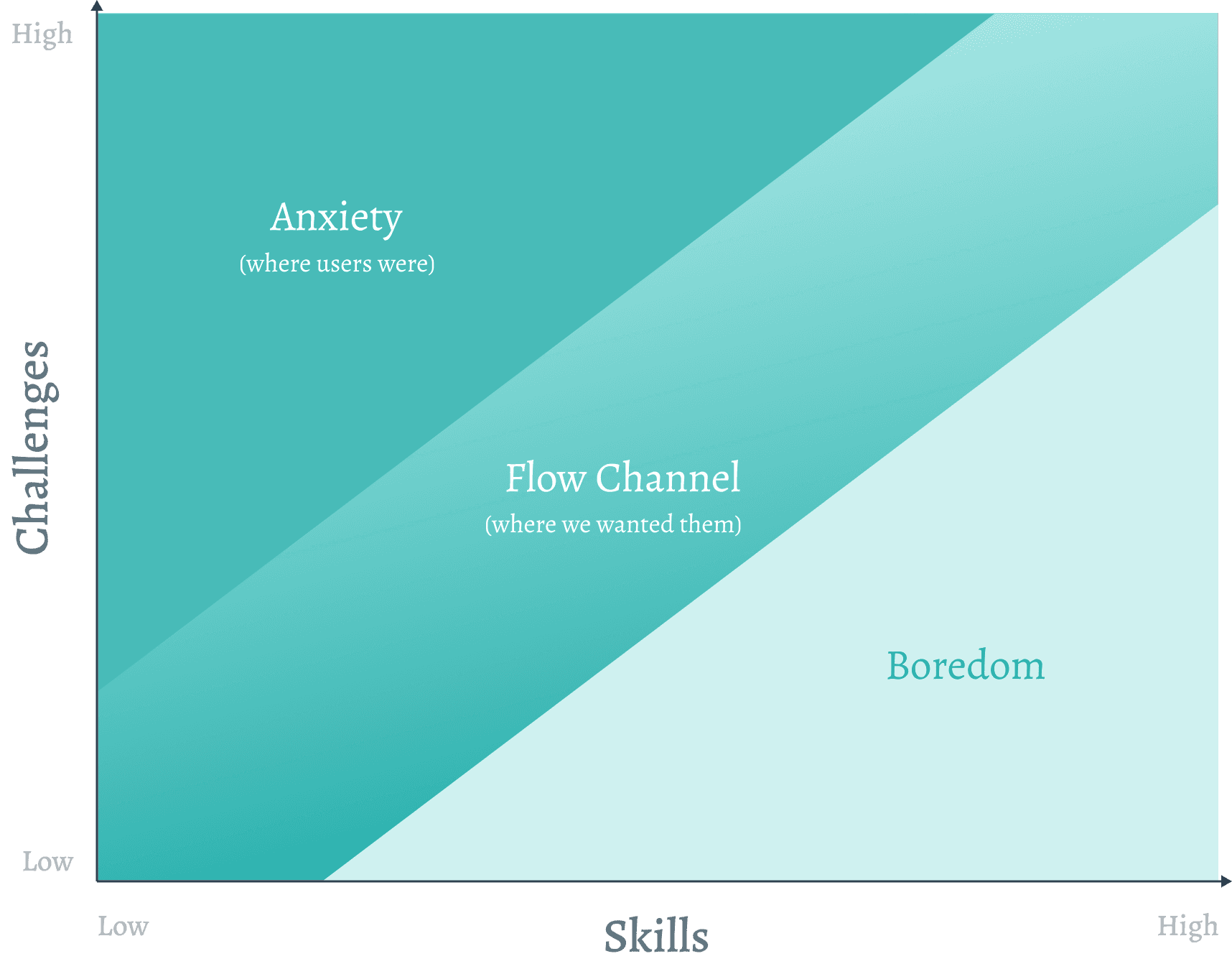
Beginners found tasks too hard or socially intimidating (Anxiety).
Pros found them too easy or tedious (Boredom). This imbalance in the "Flow State" prevented users from engaging.
Intimidation
Intimidation (The Barrier) Peers were intimidating. Beginners saw "perfect" work from power users and felt they couldn't compete, leading to "Unintentional Intimidation".
Procrastination
Students feared performing inadequately. This anxiety, combined with a lack of structure, caused them to delay starting until it was too late.
Complexity was the root cause connecting every issue
Designing for "Flow" To solve the intimidation problem, we applied Csikszentmihalyi’s Flow Theory. We realized we were forcing beginners into "Anxiety" zones by offering only complex challenges. Users lacked the Flow State. The original challenges were "Skilled" tasks too hard for beginners (causing anxiety) and too long for casual users. We needed a bridge.
The solution
We split the product offering into two distinct types to cater to different confidence levels:
Fun Challenges (Low Stakes)
Bite-sized, meme/game-based tasks. No rewards, no pressure. Designed to build confidence and habit.
Skilled Challenges (High Stakes)
The original real-world tasks. Rewarded and competitive. Renamed to set clear expectations.
The Flow State Strategy By offering "Fun" challenges, we allowed users to enter the "Flow Channel balancing skill vs. difficulty. This creates a ramp: users get hooked on Fun challenges, build confidence, and graduate to Skilled ones.
The Challenge paths
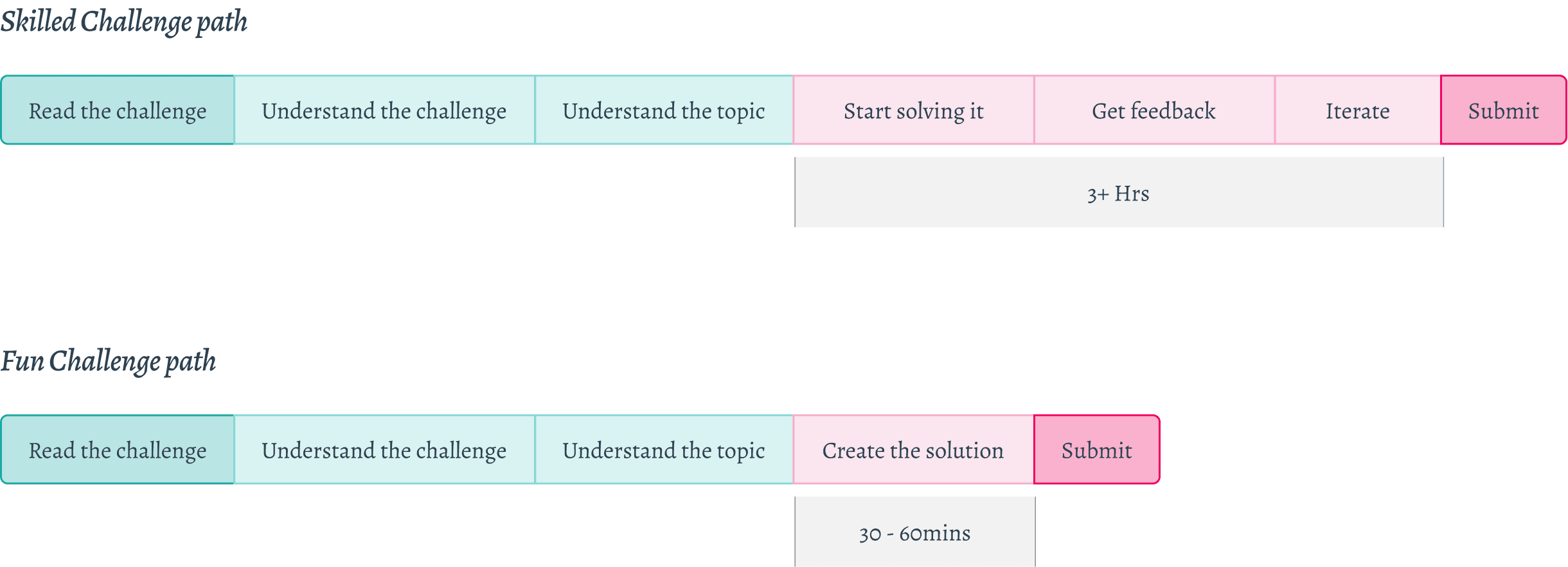
Result: Users who played "Fun" challenges were 2x more likely to attempt "Skilled" ones later.
DESIGN
The Problem: In the old design, peer submissions were hidden behind a click. Users either missed them or, when they did see them, felt intimidated by the high quality of "Skilled" entries.
The Fix: I moved peer creations upfront into a dedicated tab, but changed the visibility rules based on the challenge type.
For Fun Challenges: We brought peer posts upfront instantly. Since these are casual (memes/games), seeing others' posts creates "FOMO" (Fear Of Missing Out) rather than anxiety.
For Skilled Challenges: We kept peer posts hidden until the challenge ends. This prevents users from comparing their work-in-progress to a winner's final draft.
Standard Challenge
Before
Skilled Challenge
Fun Challenge
After
The Insight: The Zeigarnik Effect states that people remember interrupted tasks better than completed ones. Users hate the tension of "Incomplete."
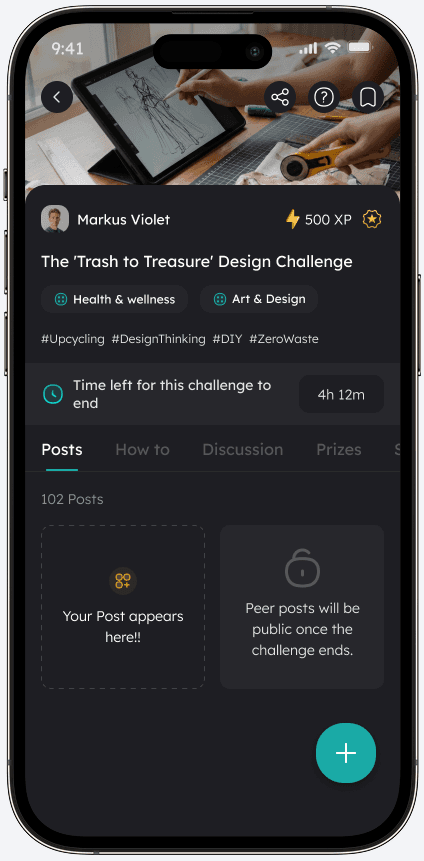
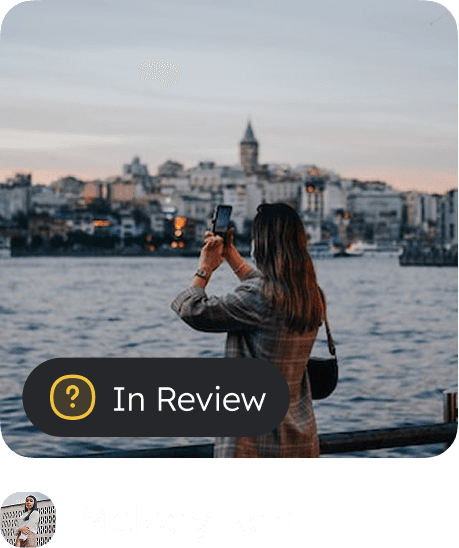
The Fix: I redesigned the "Your Post" card to live permanently on the challenge page. It visually tracks their status (Draft vs. Submitted) with a thumbnail preview. This acts as a constant, reminder (The Zeigarnik Effect) to finish the loop.
Making it modular to show both the Post stage indicator and likes
User post Zero state
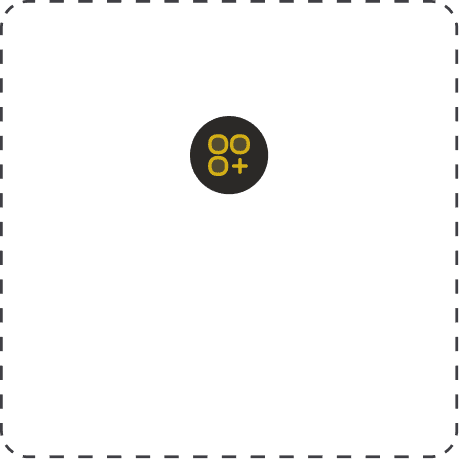
User post stage - In Draft

User post stage - In Review
Peer post
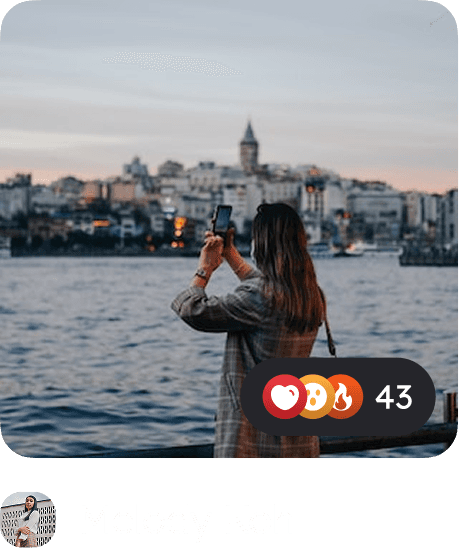
Making it modular to show both the Post stage indicator and likes
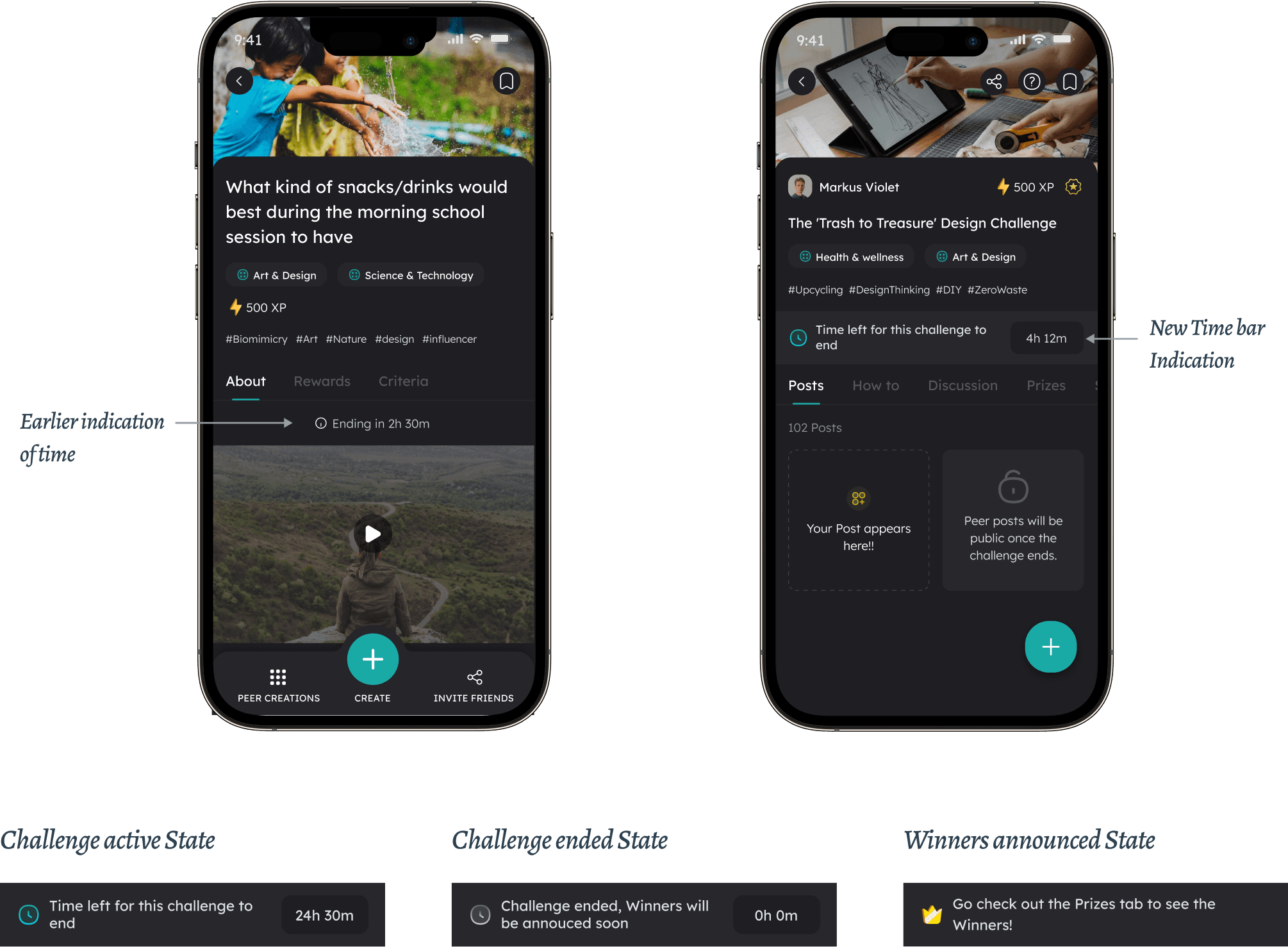
The Problem: In the previous design, the deadline was just a small text label (e.g., "Ends in 2 days"). It lacked visual weight, and the timing was abstract. Because teens operate on school schedules (active 5 PM – 1 AM on the app), they would often procrastinate until they forgot, missing the deadline entirely.
The Fix: We shifted all deadlines to hard stops at Midnight. This aligns with their mental model of "finishing homework at night" and maximizes their active hours. We added a full-width Time Bar to create a clear visual status.
The Problem: Users didn't know what "Good" looked like, and they didn't know who to ask for help.
The Fix:
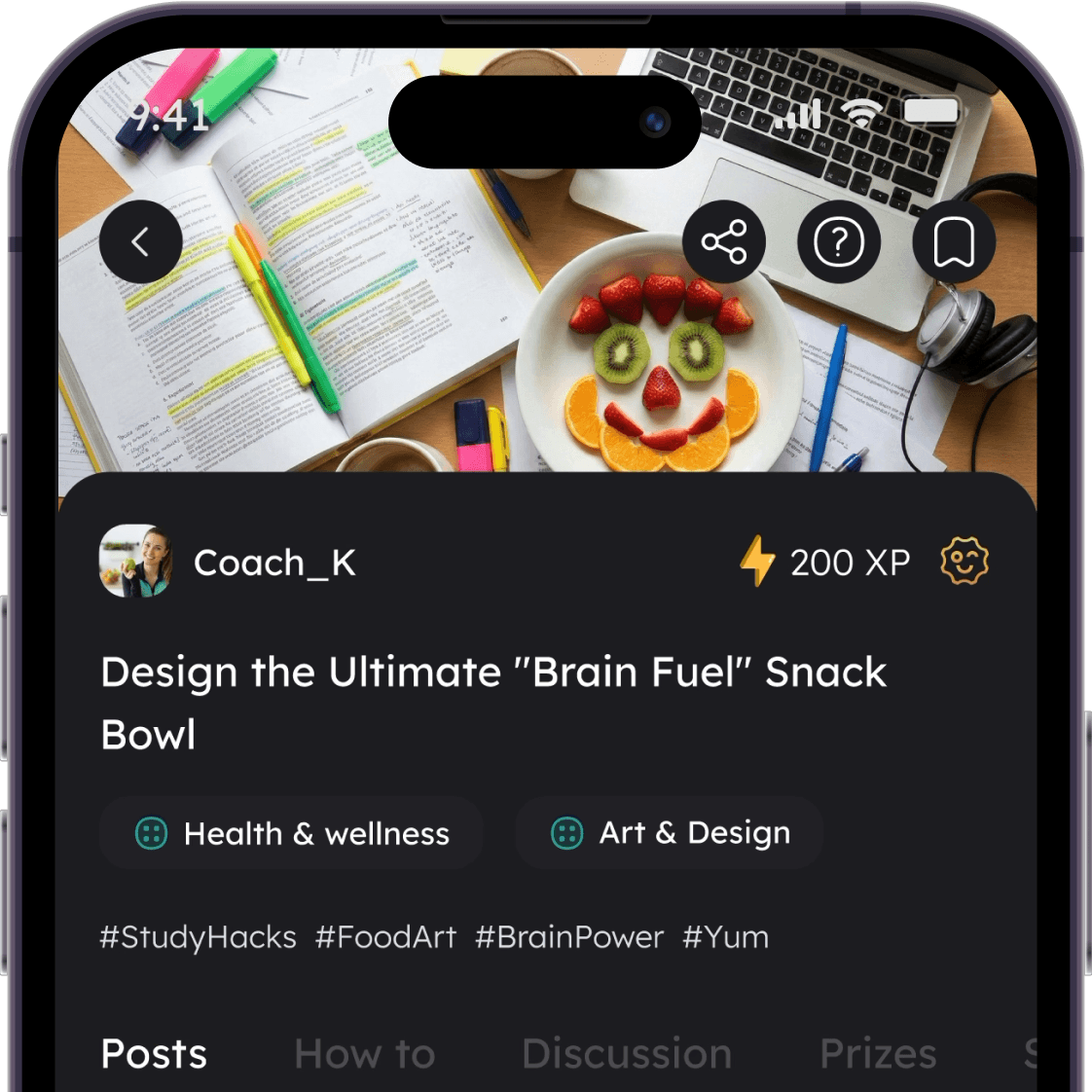
Thumbnails with Likes: I added "Like counts" directly to the peer post thumbnails. This acts as a quality signal, helping users quickly identify the best submissions to learn from and get inspired.
Mentor Visibility: I moved the Challenge Creator/Mentor profile to the very top of the page. This adds authority and gives users an immediate human face to trust, motivating them to solve a "real person's" problem.
Mentor profile to the very top of the page
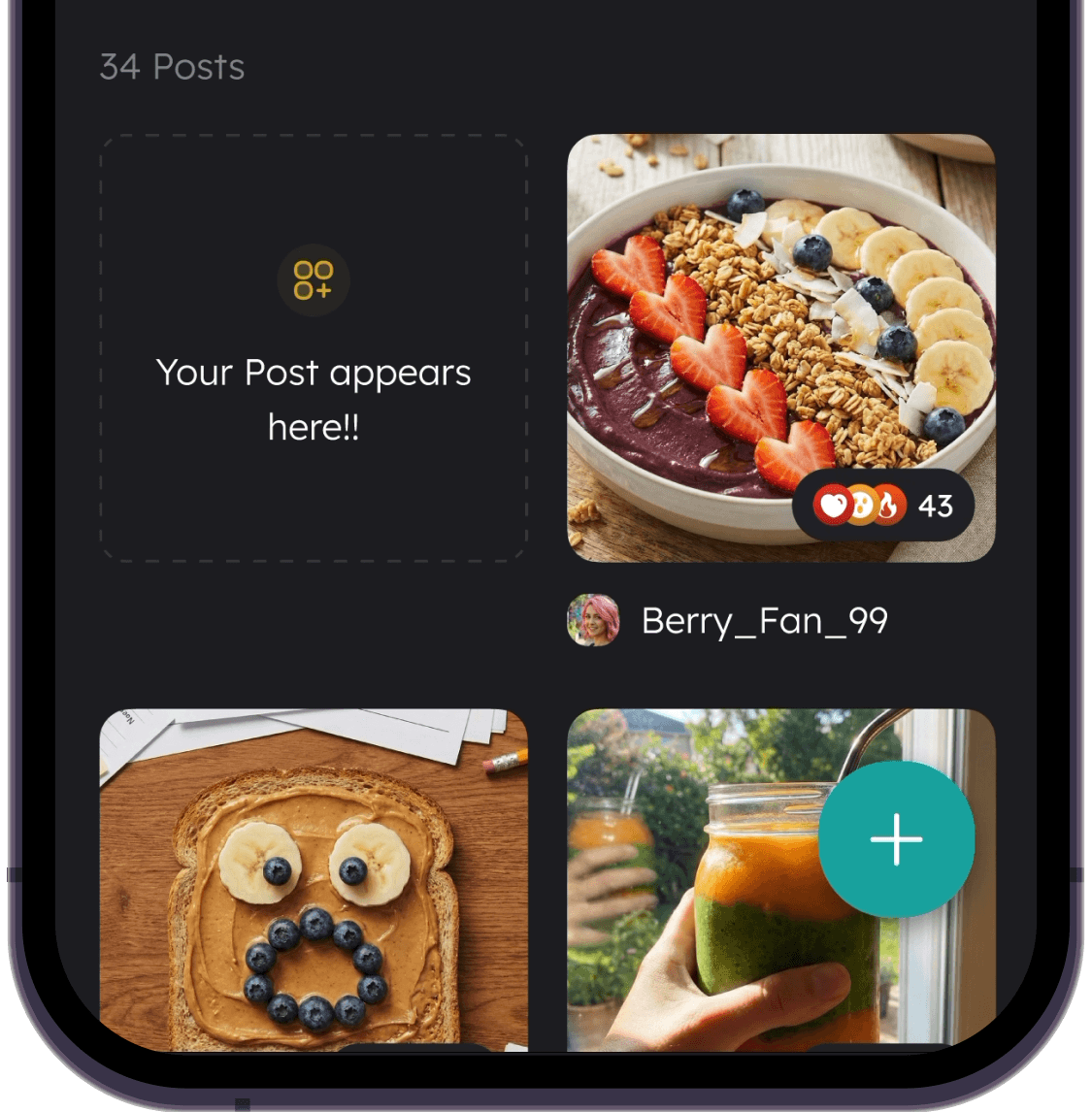
Peer post thumbnails with Like counts
Users were getting stuck. The old "About" tab was passive. I renamed it to "How To" and worked with Learning Designers to restructure the content into actionable steps, not just descriptions.
The Problem: Asking a mentor a question via direct message felt like raising your hand in a quiet classroom scary and high-pressure.
The Fix: I introduced a Discussion Tab that mimics a Group Chat (like Discord or WhatsApp). It encourages casual, peer-to-peer chatter and makes asking questions feel low-stakes.
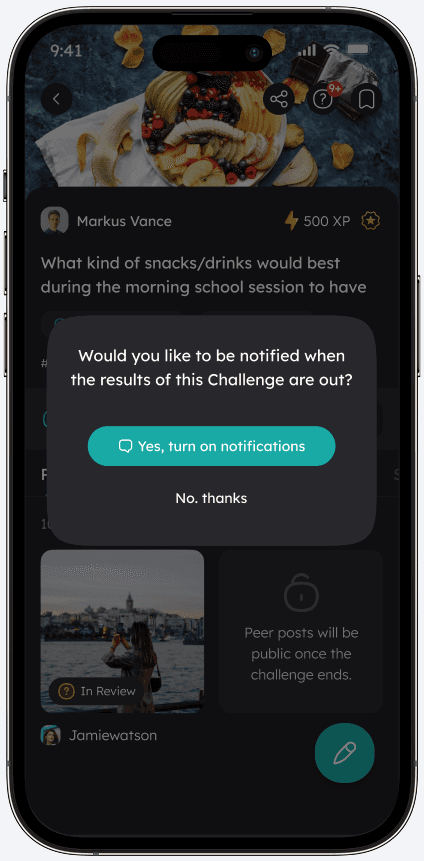
The Problem: Most users turned off notifications during onboarding, meaning they missed "Challenge Ending" alerts.
The Fix: We stopped asking for permission at signup. Instead, we triggered the permission popup only after they started a draft. By framing the notification as "Don't lose your progress" (Value) rather than "Enable Alerts" (Feature), opt-in rates increased.
Notification for Similar challenges
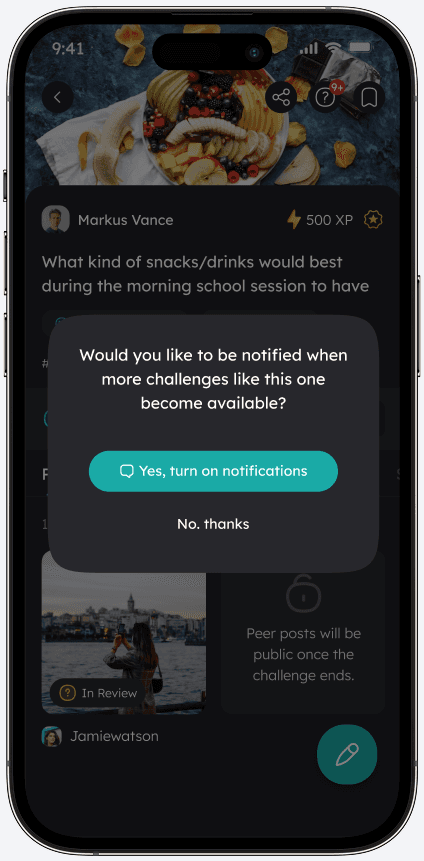
Notification for Challenge deadline
Notification for Challenge results
The bifurcation strategy worked. By lowering the barrier to entry with "Fun" challenges, we reactivated dormant users and fed them into the "Skilled" funnel.
+13%
Increase in Challenge participation (Month 1)
+18%
Increase in Challenge participation (Month 2)
+5%
Uptick in "Skilled" challenge adoption (Month 2)
Reflection
Psychology > UI
The biggest hurdle wasn't the button placement; it was the "Intimidation Factor." Solving for user emotion yielded better results than solving for usability alone.
Data needs Context
The data showed high drop-offs, but only qualitative interviews revealed why (intimidation). Combining both was key to the "Fun vs. Skilled" strategy.
Collaboration
This wasn't just design. I worked with Learning Designers to rewrite content and Growth teams to align notifications